| x x x x x x x x x x x x x x x x x x x x x x x x x x x x x x x x x x x x x x x x |

| Handle Clamp Assembly & Alignment |
|---|
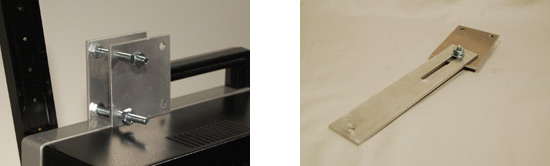
| 3. Place Handle Clamp on the Projector and hold so both sides are vertical. Hand-tighten the two large nuts and the Rear bolt/nut. |
 |
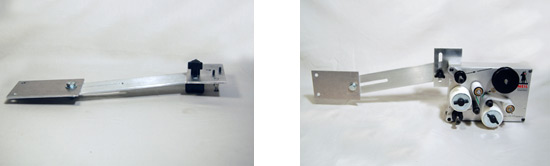
| 4. Attach the Extension to the Support using the small 3/4" bolt and firmly tighten. |
| 5. Attach the Adaptor to the Extension using Knobs and hand-tighten; Attach Film-O-Clean to the Adaptor. |
 |
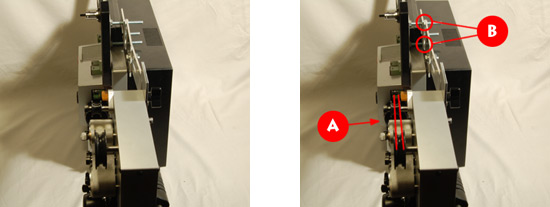
| 6. Hold Film-O-Clean and center the Drive Wheel within the film path. Align the Support so it "touches" the two front bolts at 90 degrees ( photo "A"). |
| 7. Mark the location of the Support on the front bolts ( photo "B"). This is the correct position for the Support to center Film-O-Clean. |
 |
|
x x x x x x x x x x x x x x x x x x x x x x x x x x x x x x x x x x x x x x x x |
